WGU Webcam Requirements: What You Need for Smooth Online Exams
If you are preparing to study at Western Governors University, setting up the right technology is essential. One of the most important requirements is your webcam. WGU uses online proctoring for assessments, and your webcam setup directly affects whether you can start and complete exams without issues.
This complete guide explains the WGU webcam requirements in clear, practical terms. It covers what equipment you need, why WGU enforces these rules, and how to prepare your setup so that exam day goes smoothly.
Why Technology Matters at Western Governors University
WGU follows a Bring Your Own Device model. Students are responsible for having a computer and accessories that meet technical standards. These tools are used for coursework, live interactions, and proctored exams.
Online exams require identity verification and continuous monitoring. As a result, WGU has established clear guidelines regarding webcams, browsers, and system compatibility. In some cases, WGU partners with T-Mobile to help eligible students access laptops, webcams, or mobile hotspots through an online access scholarship.
Having the correct setup from the beginning helps prevent delays and unnecessary stress.
WGU Webcam Requirements Explained
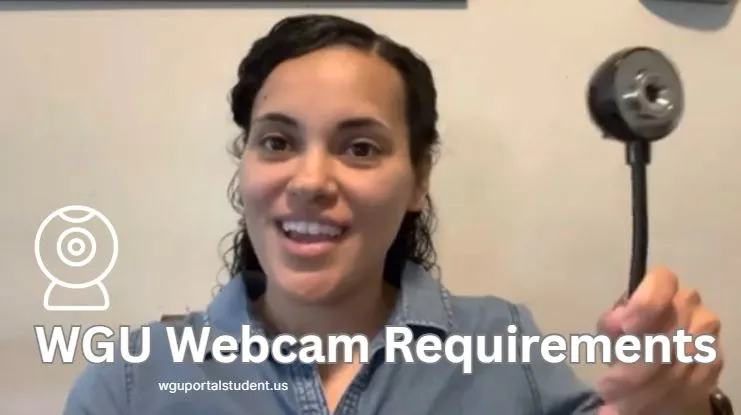
To take any proctored assessment, WGU requires an external USB webcam. Built-in laptop cameras are not allowed.
Proctors must see more than your face. They need a clear view of your hands, keyboard, desk, and part of your testing space. External webcams can be positioned higher and farther away, which built-in cameras cannot do.
Minimum Webcam Specifications for WGU Exams
Your webcam must meet all of the following requirements:
If your webcam does not include an adjustable mount or gooseneck, a small tripod is required to achieve the correct height and angle.
Why WGU Does Not Allow Built-In Laptop Cameras
Even high-end laptops often fail to meet WGU proctoring standards. Built-in cameras are fixed in place and typically point only at your face.
Proctors require the following:
Identity verification
A stable and clear view of your face and photo ID.
Full workspace visibility
Your hands, keyboard, and monitor must remain visible at all times during the exam.
Room scan capability
You must show behind, under, and around your desk before testing begins.
Exam integrity
A wide-angle and elevated camera position reduces blind spots and supports academic honesty.
For these reasons, an external webcam is mandatory.
Do I Need a Webcam for Online Classes at WGU?
For most coursework activities, such as recorded lessons or discussion boards, a webcam is helpful but not always required. However, for assessments and objective exams, a webcam that meets WGU standards is mandatory.
Having a compliant external webcam from the start ensures you are fully prepared for all course requirements.
Do You Need a Webcam for a Proctored Exam?
Yes. A webcam is required for all proctored exams at WGU. Without an external webcam that meets the specifications, you will not be allowed to begin testing.
Guardian Browser Explained
The Guardian browser is WGU’s secure testing browser used during proctored exams. It locks down your computer to prevent access to other applications, files, or websites while an exam is in progress. This ensures a controlled testing environment and protects exam integrity. Your webcam and microphone must function correctly within the Guardian browser before testing begins.
WGU partners with ProctorU, a third-party proctoring service that connects students with live proctors who monitor exams in real time via webcam and screen sharing.
Computer Requirements for WGU Students
You do not need an expensive computer, but your system must meet minimum performance and compatibility standards.
Recommended system specifications
Chromebooks, tablets, and Linux-based devices may be used for coursework but are not supported for proctored exams.
How to Prepare Your Webcam Setup Before Exam Day
Before the exam
- Use an external USB webcam
- Test your webcam and microphone
- Check your internet connection
- Install and test the Guardian browser
- Remove notes, phones, and extra monitors
- Clear your desk completely
During check-in
- Log in early
- Present a valid photo ID
- Complete the required room scan
- Adjust the webcam to show your face, hands, keyboard, and desk
During the exam
- Stay focused on the screen
- Avoid unnecessary movement
- Follow all proctor instructions
- Keep the chat window visible
After finishing
- Inform the proctor that you are done
- Submit the exam properly
- Close the testing browser
Best External Webcams That Meet WGU Requirements
Most reliable external webcams with 720p or 1080p resolution work well when positioned correctly.
Webcam comparison table
| Webcam Model | Resolution | Price Range | Key Feature |
|---|---|---|---|
| Logitech C920S | 1080p | $70–90 | Privacy shutter |
| Logitech C615 | 1080p | $50–70 | Portable design |
| Nexigo N660 | 1080p | $40–60 | Best value |
| WGU Webcam 1000 | 720p | $30–50 | WGU approved |
Helpful accessories
- Adjustable tripod for proper height
- Small LED light to improve visibility
Good lighting reduces shadows and improves video clarity during check-in and testing.
FAQs About WGU Webcam Requirements
What webcam do I need for WGU?
You need an external USB webcam with at least 720p HD resolution, a built-in microphone, and a wide viewing angle. It must be elevated to show your face, hands, keyboard, and desk.
Why can’t I use my built-in laptop camera?
Built-in cameras cannot provide the required angle or distance. Proctors must see your entire workspace and room, which requires an external webcam.
What equipment do I need for proctored exams?
You need an external webcam, a working microphone, stable internet, the Guardian browser, and a private, distraction-free testing space.
Do other students confirm these requirements?
Yes. Many students report that using a tripod with an external webcam simplifies check-in and reduces exam interruptions.
Final Thoughts on WGU Webcam Requirements
Meeting the WGU webcam requirements is a critical step in preparing for online exams. With the correct webcam, proper placement, adequate lighting, and a clean workspace, most students experience smooth and uninterrupted testing.
For additional support in selecting compatible equipment, consult WGU’s official IT requirements documentation or reach out to WGU Student Services for personalized technical guidance.